The Doorway Effect: Why Your Brain Wipes the Slate Every Time You Switch Apps

Every time you Command-Tab, your brain treats it as walking through a door. The literature on the doorway effect says that crossing an event boundary flushes some of the state you were holding a second earlier. On a modern Mac, you cross fifty of those boundaries a day. That's not a productivity metaphor. It's a specific finding about how the brain segments time.
Short version if you have thirty seconds. Your brain doesn't store the workday as a continuous stream. It stores it as a sequence of events, and it uses transitions between events to close the last one and open the next. Every app switch, every space swap, every meeting join is one of those transitions. Without a real boundary marker, most of them fire the flush without doing the priming. You forget what you were doing and fail to load what you're supposed to be doing next. The rest of this piece is the research and the fix.
This is a companion to The Science Behind Ikuna. That piece is the map of the whole product. This one goes deep on one mechanism, the event boundary, and why the moments between contexts do more damage than the contexts themselves.
Radvansky, 2011: the room that made you forget
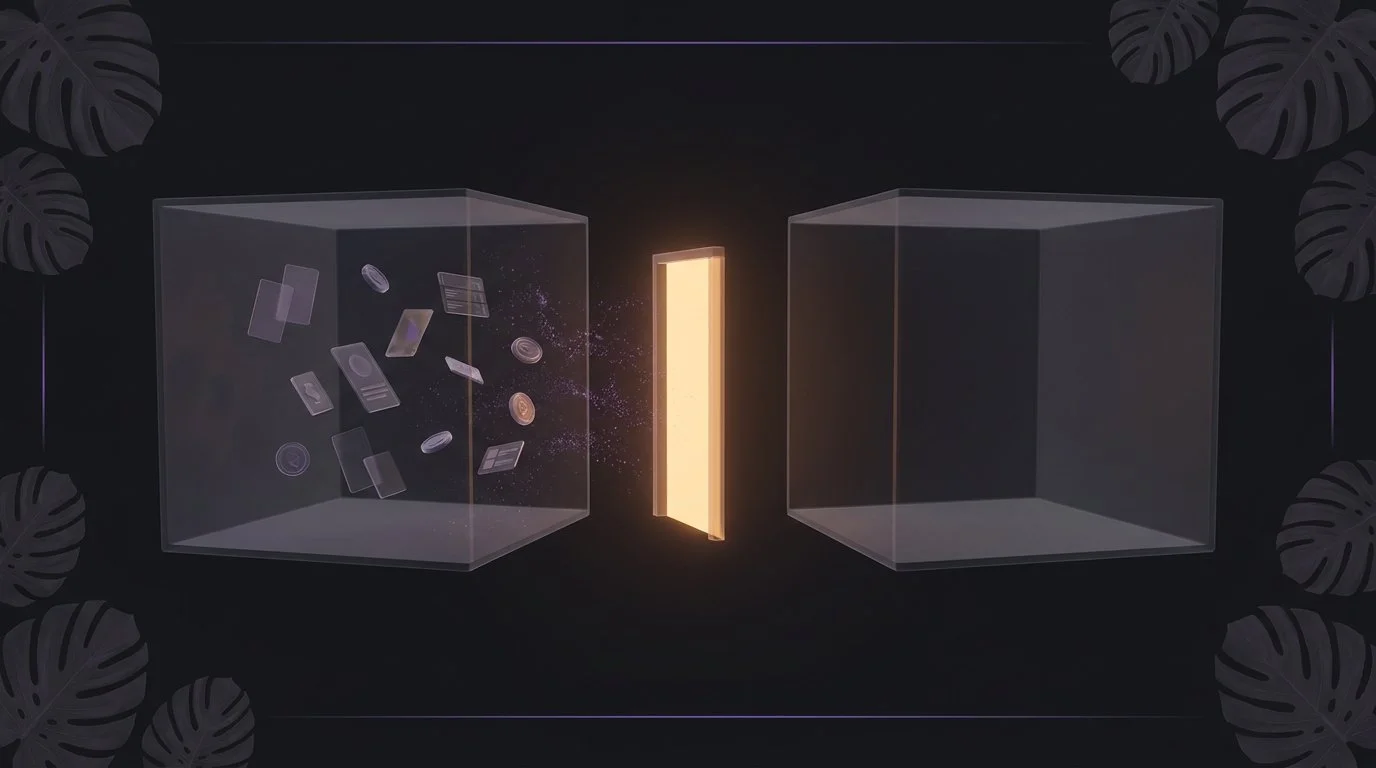
Gabriel Radvansky's group at Notre Dame published a set of experiments in the Quarterly Journal of Experimental Psychology under the title "Walking through doorways causes forgetting". The setup is almost embarrassingly simple. Participants picked up a virtual object in one room, then either walked the same distance within that room or walked through a doorway into a new room. Then they were asked what they were carrying.
Recall was measurably worse in the doorway condition. Same distance, same task, same object. The only difference was that a door had been crossed. Radvansky's argument, borrowing from Zacks and Tversky's earlier work on event segmentation theory, is that the brain uses doorways as event boundaries. When it detects one, it closes the current event model in working memory to make room for the next one. Some of what was in the current model gets flushed as a side effect.
A few caveats belong on that finding. The effect is modest per crossing. It's stronger for peripheral details than for the central task. It replicates cleanly in physical rooms and in VR, and — this is where it gets interesting — it also replicates when the doorway is only depicted on a screen, not physically walked through.
That last point is the one that matters for anyone who works on a laptop. If a screen-depicted doorway triggers the flush, so does every visual boundary your workday is built out of. App switches. Space changes. Meeting joins. Full-screen mode toggles. Every one of them presents your visual system with the digital equivalent of stepping through a door.
Event segmentation: why the flush isn't a bug
The temptation is to read Radvansky as a story about forgetting. It isn't. Event segmentation is a feature. It's how the brain manages the fact that raw experience is continuous but working memory is small. If it kept every detail of the last hour permanently loaded, you'd have no room for the next thirty seconds.
Jeff Zacks's group at Washington University has spent twenty years describing the mechanism. The brain builds an ongoing "event model" of what's currently happening, updates it in real time, and rebuilds it whenever the signal changes enough to suggest a new event has begun. That rebuild is the flush. It's cheap when the flush is welcome, and expensive when it's premature.
The office used to keep those boundaries reasonable. You worked on one thing for a stretch, then a real event ended, then you moved on. The current app-switching pace inverts the ratio. Boundaries fire faster than the work does. The event model doesn't stabilise long enough to be useful, and every switch pays the flush cost.
There's a direct connection here to Sophie Leroy's attention residue work. Leroy showed that when people switch from one task to another without a clean transition, part of their cognitive resource stays stuck on the first task. Reading Leroy alongside Radvansky and Zacks gets you a stereo picture. Leroy says the switch leaves debris on the outgoing side. Radvansky and Zacks say the switch also under-loads the incoming side, because the event boundary triggered a flush without a proper new model behind it. The net effect is worse than either lens shows alone. You lose part of what you had, and you don't fully load what you're moving to. That's the felt cost of a modern context switch, decomposed.
The commute did this work for you
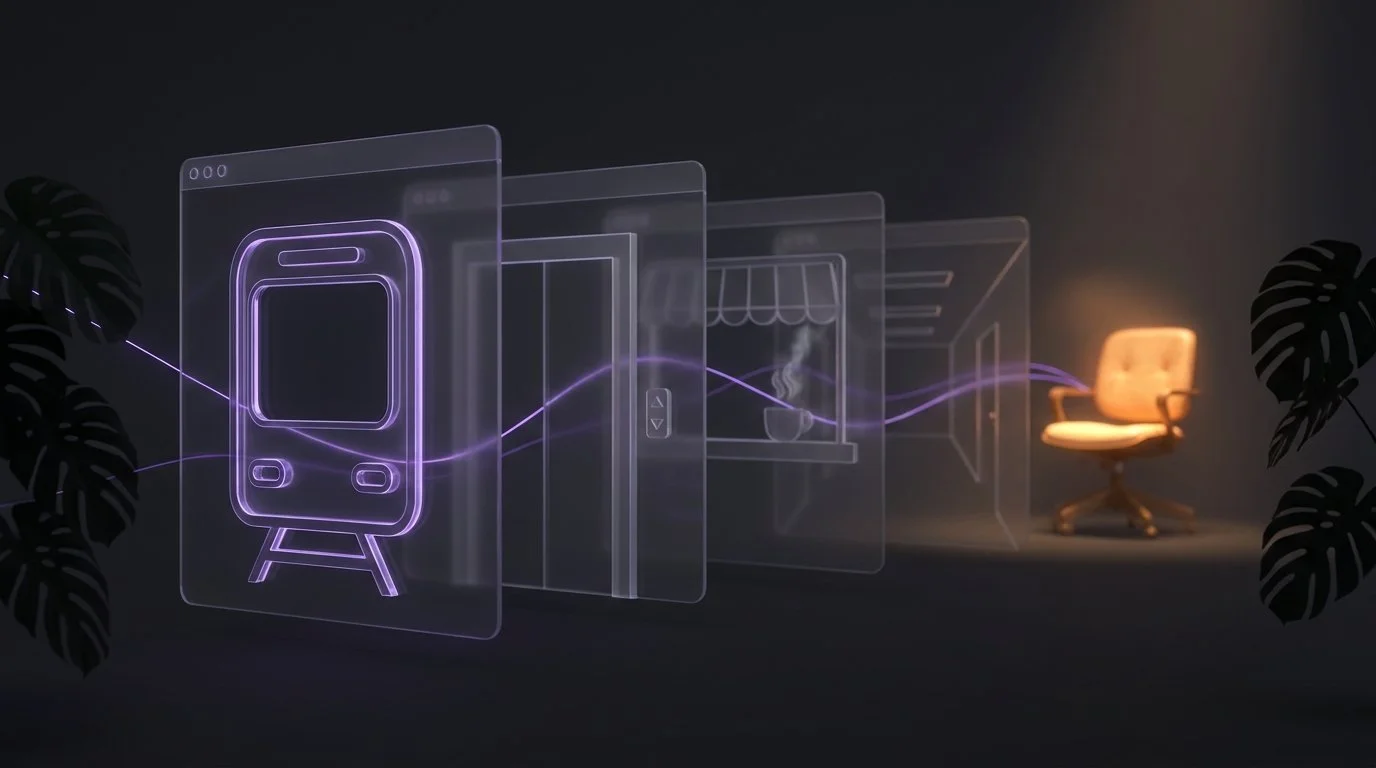
Here's the useful reframe of Wendy Wood and David Neal's habit research, which I covered in Ikuna's science piece. Wood and Neal's argument is that most of what we experience as "getting into work mode" is actually context-cued habit. A sequence of environmental signals, meaning same route, same lift, same corridor, same chair, triggers the work state without conscious effort. Willpower does very little of the work. The cue stack does most of it.
The commute was a well-engineered chain of doorway effects, back to back. Train door. Station gate. Building entrance. Lift. Corridor. Office door. Desk chair. Every one of those was a Radvansky-style event boundary that flushed the previous state cleanly, and every one was paired with a Wood-and-Neal-style cue that pre-loaded the next state. By the time you sat down, your brain had crossed six or seven boundaries, and each one had done both jobs.
Working from home stripped this out and most people underestimated what that meant. It didn't just remove a commute. It removed the boundary-then-cue chain that used to make the transition into deep work automatic. What replaced it, for most, is nothing at all. You close a browser tab, open another, and expect the state to change. It doesn't, because there was no boundary marker to flush the old state and no cue to load the new one. The chair is the same chair.
The fix isn't to add willpower back into the equation. The fix is to rebuild the boundary-plus-cue chain out of digital materials.
What an engineered doorway actually looks like

A doorway that works, in the psychological sense, needs to do two things at once. It needs to close the previous state and load the next one. A cheap door only does the first. A well-designed one does both.
There are three ingredients the literature agrees on.
First, the boundary has to be perceptible. The whole point of an event boundary is that it changes the sensory signal enough for the brain to notice. A silent app-switch on the same wallpaper isn't a boundary. It's a continuation. If nothing about the sensory field changed, the brain won't segment. It'll bleed the previous state into the new context and pay the Leroy residue tax with no offsetting Radvansky benefit.
Second, the load-in has to be predictable. Wood and Neal's finding is that habits are context-cued and the strength of the cue comes from the reliability of its pairing with the state. A boundary marker that fires once in a while and then doesn't fire the next time is worse than none. The brain never learns the association. A boundary marker that fires every single time you enter a specific context, without exception, builds the association within a week.
Third, the boundary and the load-in have to be tied together. The same signal that closes the previous state should be the one that opens the next. That's what a real door does. Crossing it flushes the old room and prices you into the new one at the same beat. A digital doorway does the same job if the exit cue of one context is the entry cue of the next.
Applied to a Mac, an engineered doorway between two work contexts looks like: a short distinctive sound + a visual transition (wallpaper change, window rearrangement, or opening animation) + a stable arrival state (the same apps, the same layout, the same audio backdrop) that fires every time, without exception. The individual pieces are old ideas. The combination is the point.
The Shams and Seitz multisensory-integration literature adds one detail worth naming. Paired audio-visual cues build faster and last longer than either modality alone. The brain treats a synchronised audio-visual event as more informative than the sum of an audio event plus a visual event. If you're going to build one engineered doorway, build it out of at least two senses.
How Ikuna does this: Rituals & Triggers as a doorway system

Ikuna's Rituals & Triggers is the applied version of this. Each context you define — Deep Writing, Client Calls, Weekly Review, whatever — has its own opening sound that plays automatically the moment you enter the context. That's the audio boundary. Because it fires every time and only in that context, it does both the Radvansky flush and the Wood-and-Neal load-in. You don't have to remember to press play. The pairing stays tight because the tool can't forget it.
For most users the effect starts to show up around day five to seven. The first few days the sound is just a sound. By the second week the sound has become a signal. Hearing the "Deep Writing" cue and hearing the "Client Calls" cue produce different internal states before the corresponding windows finish loading. That's what the literature predicts should happen with reliable pairing, and it's what people report.
The candid version. Most people who install Ikuna never turn the audio cue on. The setting isn't hidden. It sits on the context detail page under Rituals & Triggers, and the UI is clean. What's missing isn't the button. It's the reason. Without the doorway-effect framing, "opening sound" reads like a novelty setting, the kind of thing you skip on the way to something that feels more serious. It sounds like a ringtone. It doesn't sound like a boundary marker for an event-segmentation-theory event boundary. But that's what it is.
The next layer shipping is the visual cue. A per-context wallpaper change plus a short opening video that fires alongside the audio when you enter a context. Not decoration. The Shams-Seitz multiplier applied directly to the Rituals & Triggers system. Audio plus visual, synchronised, at the moment of transition. The prediction from the multisensory-integration literature is that the paired cue will build the boundary faster and hold it longer than the audio alone. We'll publish the empirical results once we have them.
What to actually do, if you use any focus tool
You don't need Ikuna to apply this. The mechanism doesn't care what tool you use. If you're serious about rebuilding the boundary-plus-cue chain the commute used to give you, the four moves are:
Identify your two or three real contexts. Not five, not ten. Deep work, admin, meetings is a reasonable starting split. Anchor those first before you get elaborate.
Pick one distinctive boundary marker per context. A short instrumental phrase, a wallpaper, a specific desktop layout, a physical position of your laptop. Whatever's easiest to fire every time. Distinctive matters more than aesthetic.
Wire the boundary to fire on entry, every time, no exceptions. The pairing is what builds the association. Skipping breaks it. If you can't fire it manually every time, put a tool in charge of firing it for you. That's what removes the failure mode.
Give it seven days before you judge. The boundary is a learned association. Day one is a novelty. Day seven is a signal. Judging on day two is judging the wrong thing.
If you do this and it doesn't work, the most likely reason is inconsistency, meaning the boundary fires sometimes and not others, or fires in the wrong context. Fix the inconsistency before you conclude the mechanism doesn't hold.
FAQ
Isn't the doorway effect just distraction? No. Distraction is a competing attention target. The doorway effect is an active flush by the event-segmentation system, triggered by a perceived boundary. You can be undistracted, focused, and still forget what you were doing the second you cross an event boundary. Radvansky's experiments controlled for distraction and the effect held.
Does Command-Tab actually count as a doorway? The best current answer is a qualified yes. Radvansky's own extensions showed that screen-depicted doorways trigger the effect at a reduced strength. Zacks's event-segmentation work suggests that any sensory change large enough to signal "new event" will fire the segmentation mechanism. A full app-switch on a modern Mac is a large sensory change. It's not the same as walking through a physical door, but it's on the same continuum, and it fires the same mechanism at some strength.
Won't more boundary markers just mean more flushing? Only if the markers aren't tied to real context changes. The point isn't to sprinkle sounds and visuals through the day. The point is to make sure the boundaries that already exist — because you already switch between deep work, meetings, and admin — are marked cleanly, so the flush and the load-in fire together. The number of markers should match the number of real contexts, not exceed it.
Is this the same as pomodoro? No. Pomodoro is a timeboxing method. It uses a timer to structure work in fixed intervals, mostly to prevent under-working or over-working. What we're describing here is a boundary-cueing method. It uses a sensory signal to structure the transition between contexts, mostly to prevent the flush-without-load-in cost. The two are compatible. You can pomodoro inside a context and still use a boundary cue when you switch contexts.
Does the specific sound or wallpaper matter? Less than you'd think. What matters is that it's distinctive relative to the other contexts and that it fires reliably. A short instrumental phrase used every time you enter Deep Writing will build the boundary. A rotating "focus playlist" won't, because there's no consistent pairing. The strength of a cue comes from the reliability of its association with a state, not the intrinsic properties of the cue.
How is this different from just having a routine? A routine is a sequence of behaviours. A boundary cue is a sensory event that marks the transition between event models in working memory. Routines can contain boundary cues, but they don't require them, and most WFH routines don't have any. That's why they feel loose in a way office routines didn't. The office routine had physical doorways doing the boundary work invisibly.
Is Ikuna necessary for this? No. The mechanism works with or without a tool. What Ikuna does is make the pairing reliable. The audio cue and (soon) the visual cue fire automatically at the transition, so you can't accidentally break the pairing by forgetting to trigger it. If you can do that manually and stay consistent for weeks at a time, you don't need a tool. Most people can't, which is why the tool exists.
Sources
Radvansky, G.A., Krawietz, S.A. & Tamplin, A.K. (2011). "Walking through doorways causes forgetting: Further explorations." Quarterly Journal of Experimental Psychology, 64(8), 1632-1645.
Radvansky, G.A. & Copeland, D.E. (2006). "Walking through doorways causes forgetting: Situation models and experienced space." Memory & Cognition, 34(5), 1150-1156.
Zacks, J.M. & Tversky, B. (2001). "Event structure in perception and conception." Psychological Bulletin, 127(1), 3-21.
Leroy, S. (2009). "Why is it so hard to do my work? The challenge of attention residue when switching between work tasks." Organizational Behavior and Human Decision Processes, 109(2), 168-181.
Wood, W. & Neal, D.T. (2007). "A new look at habits and the habit-goal interface." Psychological Review, 114(4), 843-863.
Wood, W. (2019). Good Habits, Bad Habits: The Science of Making Positive Changes That Stick. Farrar, Straus and Giroux.
Shams, L. & Seitz, A.R. (2008). "Benefits of multisensory learning." Trends in Cognitive Sciences, 12(11), 411-417.
Godden, D.R. & Baddeley, A.D. (1975). "Context-dependent memory in two natural environments: On land and underwater." British Journal of Psychology, 66(3), 325-331.
Ikuna is the focus intelligence and context manager for macOS. Rituals & Triggers — per-context audio cues today, per-context wallpaper and video cues shipping next — are available on the free plan at brnsft.com/ikuna. Pro at ikuna.app.
